A personal AI agent with privacy that is built in, not just promised.
Meet Q. It reads your mail, messages and calendar, takes your meeting notes, and does the legwork when you ask. What Q knows about you lives on your devices, and Quilt is built so the rules that protect it are enforced by the app, not left to a promise. Q asks before it sends or changes anything.
Invite-only while we grow carefully. Quilt runs on Windows and iPhone today. Every picture on this page is a real screen with made-up people and messages.
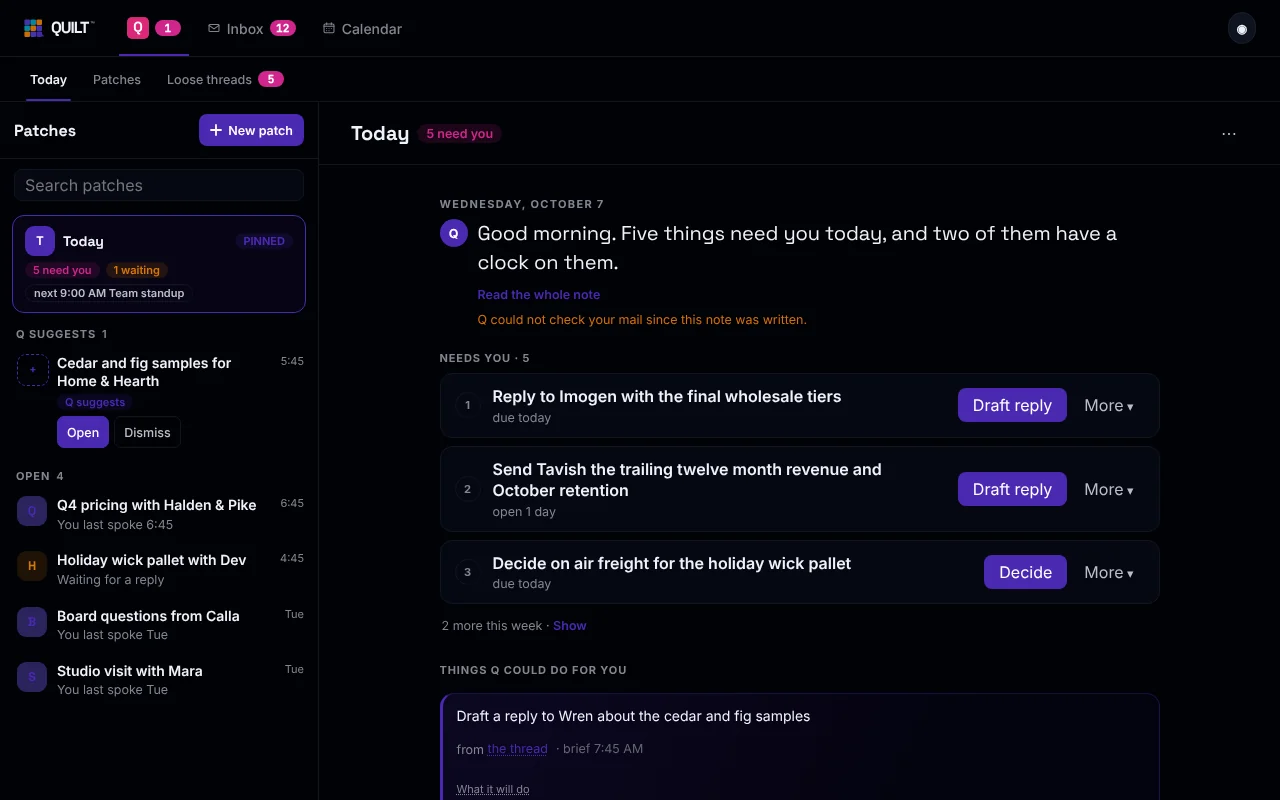
Four ideas, in plain words
-
Your data lives on your devices
Your calendar, meeting notes and Q's memory live in a database on your devices, along with an index of your mail: who wrote, the subject, a short preview. Full messages come from your mail provider when needed. When your devices sync, the data is locked on your device first, and Quilt's servers relay what they cannot read.
-
Cloud models plan. Quilt acts.
When Q uses a model in the cloud to think a request through, the model only suggests steps. Quilt does the doing, on your device. Q can draft and propose. It cannot send, pay, post or delete. You press send.
-
A private memory
Q remembers what you tell it, like who is vegetarian or which supplier you trust, and uses it next time. That memory is stored on your device and never synced. You can see it, confirm what Q learned, and make Q forget.
-
Asks before it acts
Before Q moves mail or changes your inbox, it shows you exactly what will change, and nothing happens until you tap. After it does, you get an Undo.
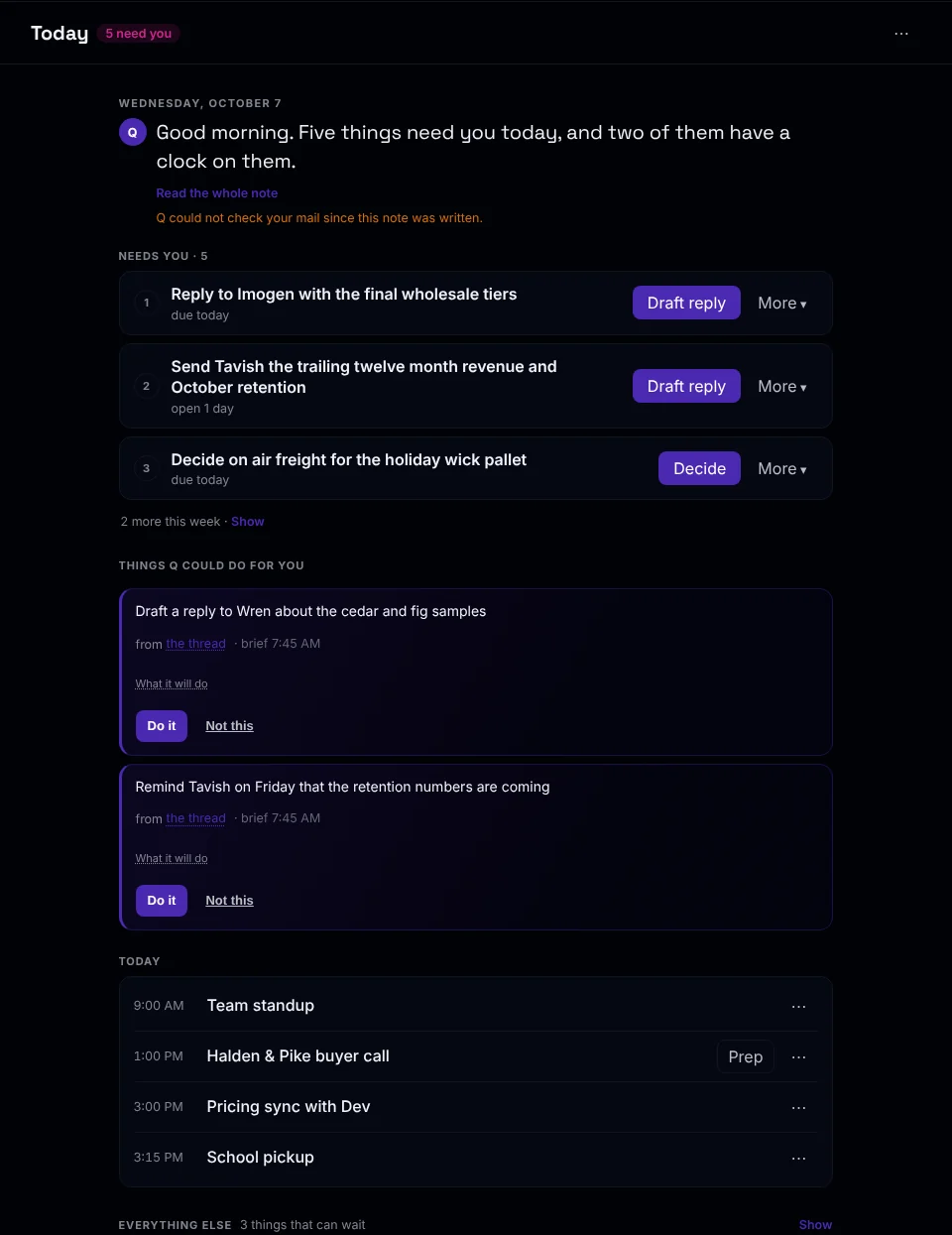
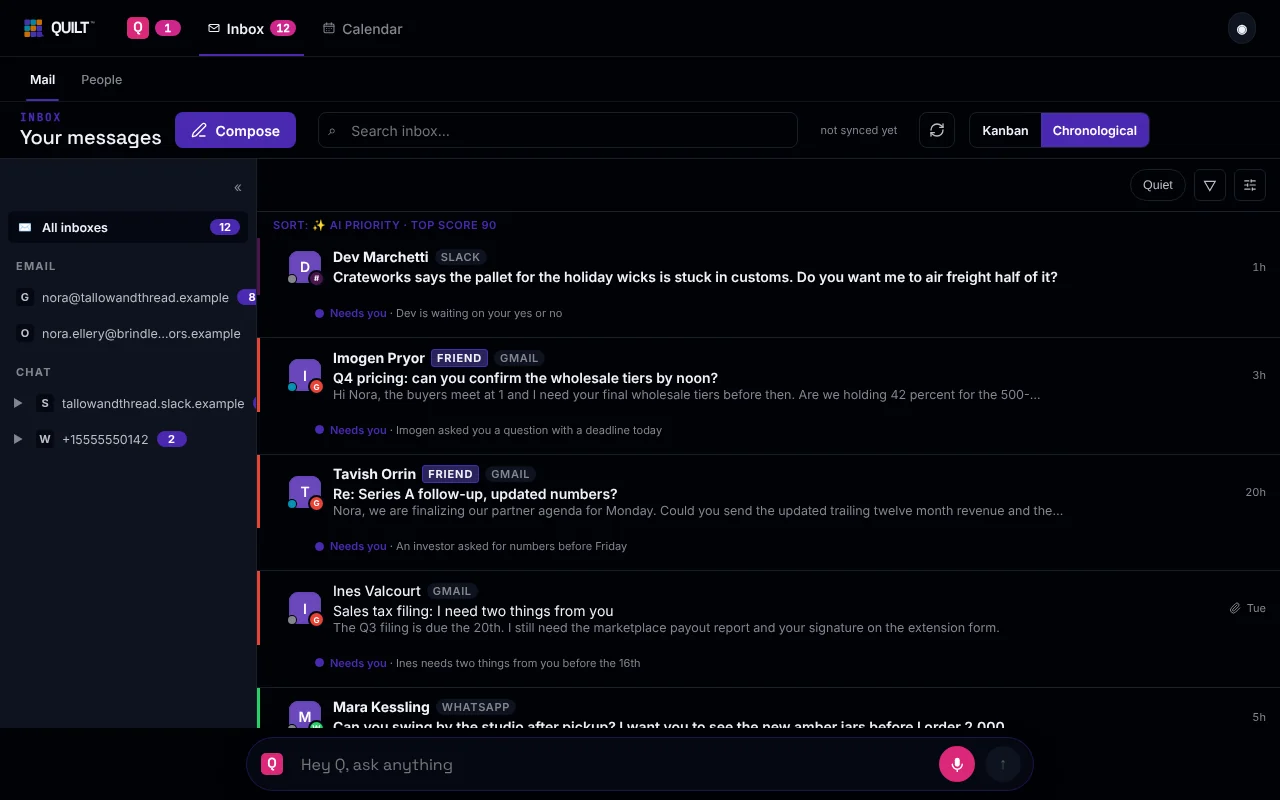
Today, as cards
Q starts your day with a short note and a few cards. Each card is a thing that needs you, with the one button you most likely want: Draft reply. Decide. Open the call prep.
Q also lists things it could do for you, such as drafting a reply or reminding someone on Friday. You choose Do it or Not this.
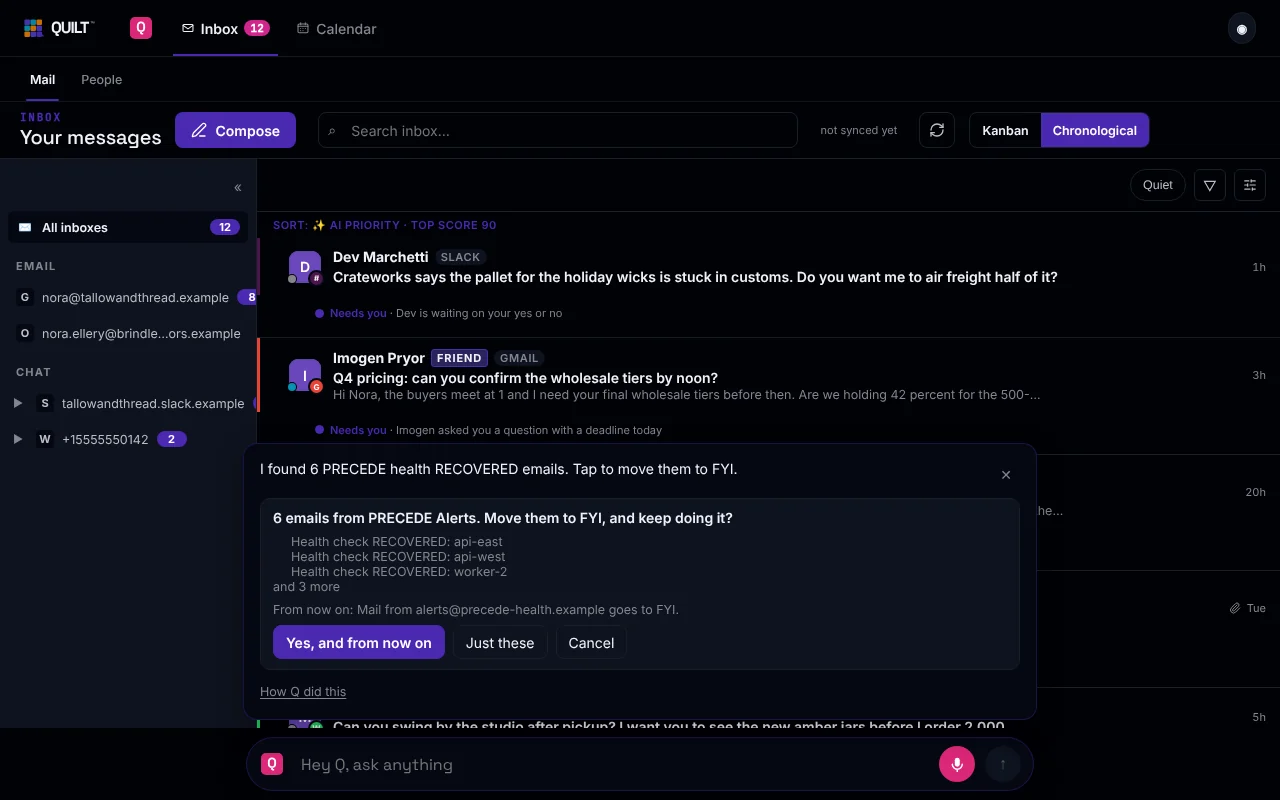
Ask from any screen. Q answers right there.
Type Hey Q on any screen. On Windows you can say it too. Ask in the Inbox, and the answer shows up in the Inbox, not on some other screen.
In this example, the ask was to mark one sender's health alerts as FYI. Q found six emails, showed the list, and waited. One tap moved them. The Undo button put them back.
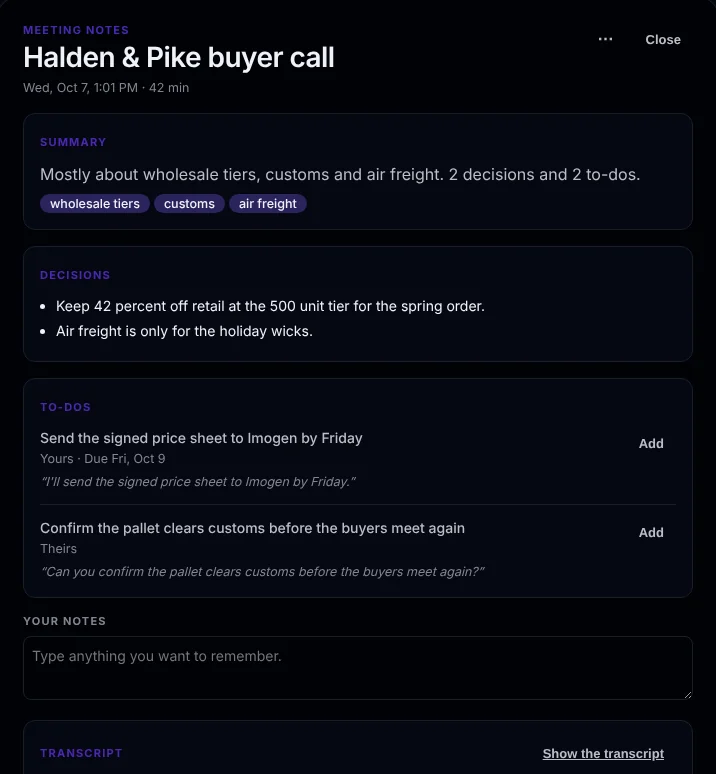
Meeting notes that end in to-dos
After a call, you get a short summary, the decisions, and the to-dos, each with the line from the call it came from. Each to-do has an Add button. The full transcript is folded away at the bottom.
Q listens on your computer, and nothing joins the call. It asks before each meeting. The words are turned into text on your computer.
Three places, one Q
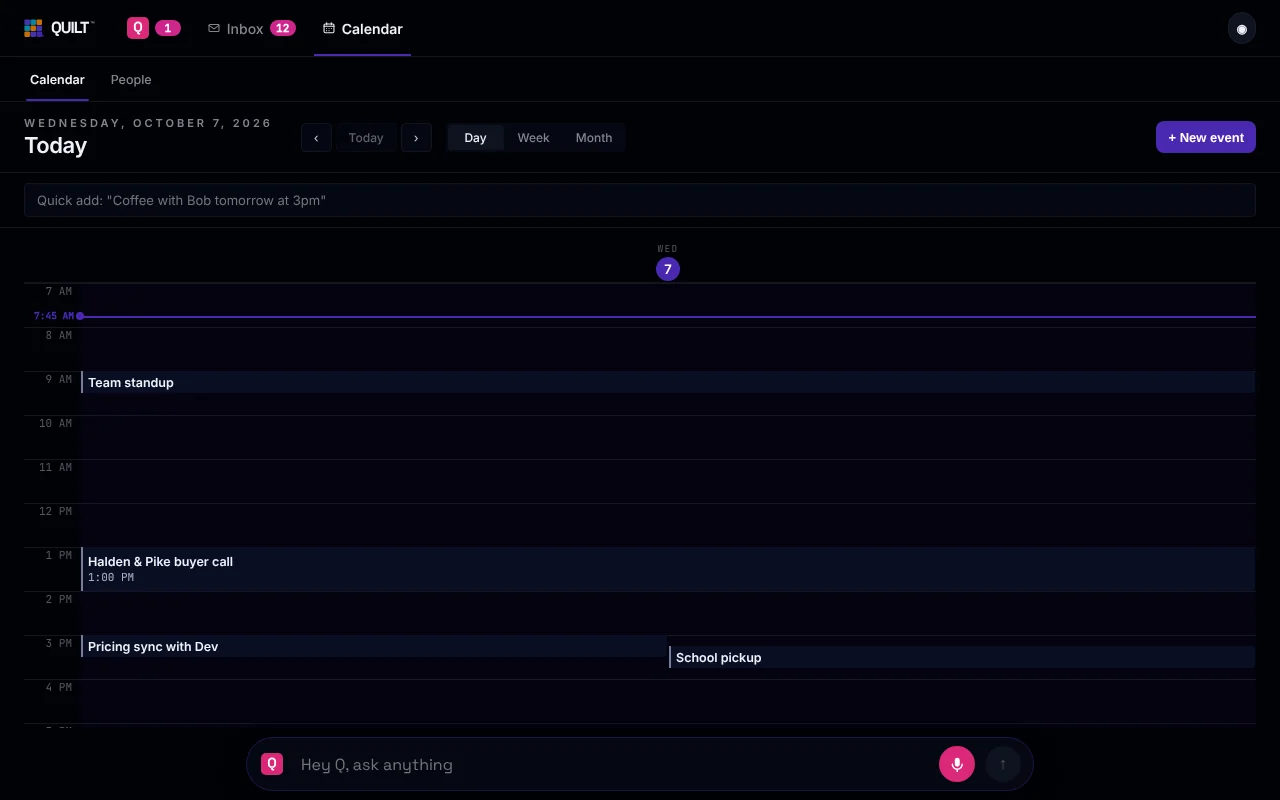
Q, Inbox and Calendar. Hey Q is on all three.
Built in, not just promised
A privacy policy is a promise. These rules are built into how Quilt works, so they hold whether or not you take our word for it. The privacy page says exactly how each one works.
- Email text never goes to Quilt's own AI. The app refuses to send it there. Features that read your mail use your own Claude key, or stay off.
- Your data lives on your devices. Your calendar, meeting notes and Q's memory are stored there. Q's memory is never synced.
- Sync between your devices is end-to-end encrypted. Your devices lock the data before it leaves. Quilt's servers relay what they cannot read. The privacy page lists the few things our servers can read.
- Cloud models plan. They never act. A model only suggests steps. It has no tool to send, pay, post or delete, so you press send.
- One switch turns off all cloud AI. It is called On this device only on iPhone, and Privacy Max on Windows. If the app cannot read the switch, it counts as on.
- Quilt never trains on your data.
During the alpha, bring your own Claude key. When Hey Q uses a cloud model, the request goes from your device straight to Anthropic, the company that makes Claude. Quilt's servers are not in that path.
We do not say nothing ever leaves your device, because a cloud model call sends text. Here is exactly what goes where.
Invite-only, on purpose
We are letting people in slowly so we can look after each person well. Leave your email and we will write when a spot opens.
How Quilt differs from tools you may know
If you already use an email client, a meeting notes app or another personal agent, here are plain, sourced comparisons. We say where each one is the better fit, and what Quilt cannot do yet.